Business and office 5G routers
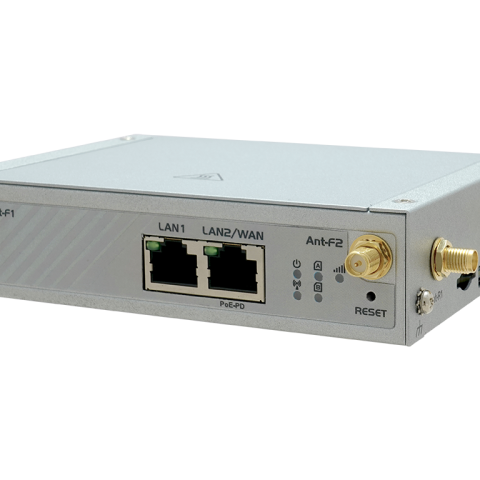
Main broadband or backup for offices, shops and branches, with Wi-Fi, a WAN port for fibre and a firewall you can configure.
Typical use · Offices, retail, failover
Independent UK guide
A 5G router connects a site to the mobile network and shares that connection with everything on it. These guides explain how 5G routers work, which type suits which job, and how to get the antennas, SIMs and failover right on UK networks.
Short answer. A 5G router is a router with a 5G cellular modem built in. It takes a SIM or eSIM, attaches to the nearest suitable mast and shares that connection over Ethernet, Wi-Fi or industrial interfaces such as RS485.
Business and industrial 5G routers are a different class of device from the white box a network sends out with home broadband. They have external antenna connectors, a firewall and VPN you can configure, failover between two SIMs or a fixed line, and remote management for whole fleets. Most are unlocked, so the router and the SIM are chosen separately.
Nearly every 5G router also works on 4G and drops back automatically where 5G is weak. That matters outside towns, where a router may spend much of its life on 4G or on 5G running in a low band. Read the complete 5G router guide for the full picture.
How a 5G router connects a site
The modem inside many 5G routers is similar. The case, interfaces, power input and software are what make one suited to an office and another to a cabinet on a pumping station.
Main broadband or backup for offices, shops and branches, with Wi-Fi, a WAN port for fibre and a firewall you can configure.
Typical use · Offices, retail, failover
DIN rail mounting, wide DC input and an extended temperature range for cabinets, substations and plant rooms that run unattended.
Typical use · SCADA, utilities, telemetry
Weatherproof units fixed to a wall or mast, close to the signal, fed by a single PoE cable from inside the building.
Typical use · Rural sites, FWA, farms
Compact gateways for connected equipment, including RedCap models that trade peak speed for lower cost and power draw.
Typical use · EV charging, signage, vending
Two SIMs, or two complete modems, so a site stays online when one network has a fault or a coverage gap.
Typical use · High availability, payments
Upload headroom, remote access and local recording for cameras on building sites, car parks and farms.
Typical use · Security, remote video
Work through it in this order and most of the decisions make themselves. Comparing router models comes last, not first.
Test at the site with a device on the networks you are considering. Coverage maps are optimistic, especially indoors and for 5G in the n78 band.
Decide where the router and antennas will go. Four connected antennas for 4x4 MIMO on a short run of good cable usually beat a more expensive router.
Work out what needs to reach the site. Inbound remote access needs a public IP SIM, a private APN or an outbound VPN.
How much downtime you can accept decides single SIM, dual SIM or dual modem, and whether 5G backs up a fixed line.
Office, industrial or outdoor. Power input, mounting and temperature range rule out most of the market quickly.
Only then compare specific routers, their remote management platform and how long the vendor keeps shipping firmware.
A short range of 5G routers we can supply and support. If the right one for your site is not listed, ask: antennas, SIMs and other models are available.
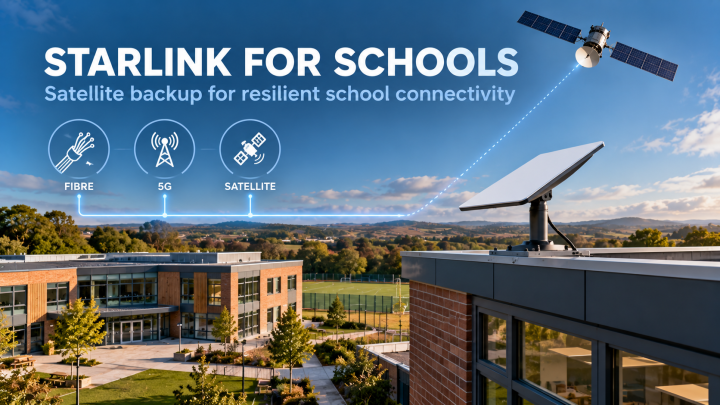
Schools now run on the internet. Cloud MIS, Microsoft 365 and Google Workspace, VoIP phones, safeguarding and filtering services, cashless catering and parent communications all stop when the...
When a remote site has no fibre, no copper and no usable 4G or 5G signal, the usual answer has been to…
Teltonika RUTC54: A Global 5G Edge Router for Multi-Site Deployments Teltonika Networks has added the RUTC54 to its compact router range, and…
Robustel Robustel is one of the most established industrial IoT router manufacturers globally, offering rugged 4G and 5G routers, edge computing gateways,…
The term dual SIM router has been part of industrial IoT vocabulary for over a decade. It appears in product specs, procurement…
Teltonika ALTOS 5G Router When Teltonika unveiled Teltonika ALTOS, one detail immediately stood out to anyone who works with 5G every day.…
Teltonika RMS – Managing Performance, Access, and Reliability at Scale 5G routers promise speed, low latency, and flexibility. In practice, anyone who…
There is no single best model. The right 5G router depends on coverage at the site, where it will be installed, what needs remote access and how much downtime you can accept. Settle those first, then compare routers with four external antenna connectors, dual SIM, a VPN you can configure and a remote management platform.
Business and industrial 5G routers almost always are, so you can use any compatible SIM and change network if coverage is poor at a site. Routers supplied with home broadband contracts are usually locked to that network.
CPE, or customer premises equipment, is the general term for the box that delivers a service at a site. In 5G it usually means an indoor or outdoor unit built mainly for fixed wireless access. A 5G router normally adds routing, firewall, VPN and failover features. Many products are both.
It needs a mobile subscription, but that does not have to be a plastic SIM. Routers with an eSIM, or eUICC, can download operator profiles remotely, which suits fleets where swapping SIMs would mean a site visit.
Not always, but often. A router near a window in good coverage may be fine with its own antennas. One in a cabinet, a basement or a steel-framed building usually needs external antennas to get anywhere near its potential.
If you move video, replace a fixed line or serve many users, usually yes. For small amounts of telemetry, a 4G Cat 1 or LTE-M device is cheaper and uses less power. A 5G router also works on 4G, which helps the hardware stay useful for longer.
Hardware, SIMs, antennas or a second opinion on a deployment that is not behaving. Tell us what you are connecting and where.